
At LiveIntent, we know how valuable data can be. (That’s why we help you give your data a day job, after all!) We also know how important it is to access your data in a timely and orderly manner. That’s why we are proud to rollout our new and improved reporting experience under one, centralized reporting tab.
The new reporting tab will help you create reports faster, quickly measure inventory and campaign performance metrics, and allow you to set-up your scheduled reports with ease.
In addition to the new reporting tab, we’ve introduced the ability to implement custom column ordering for Reporting. You can now customize your column ordering based on both exact and inexact splits as well as metrics, with the column naming appearing in the list to the right where you can then use the arrows to specify where you would like the column to live.
How to Access Reporting
The new reporting tab can be found at the top of the navigation bar, and looks like this:
 Within the new reporting tab, you will find that the process to generate reports is the same as it was when reporting was siloed under either campaign or inventory manager. If you are an advertiser OR a publisher, you will be directed to the same reporting template that you are familiar with. From here, follow the same workflow to create a report.
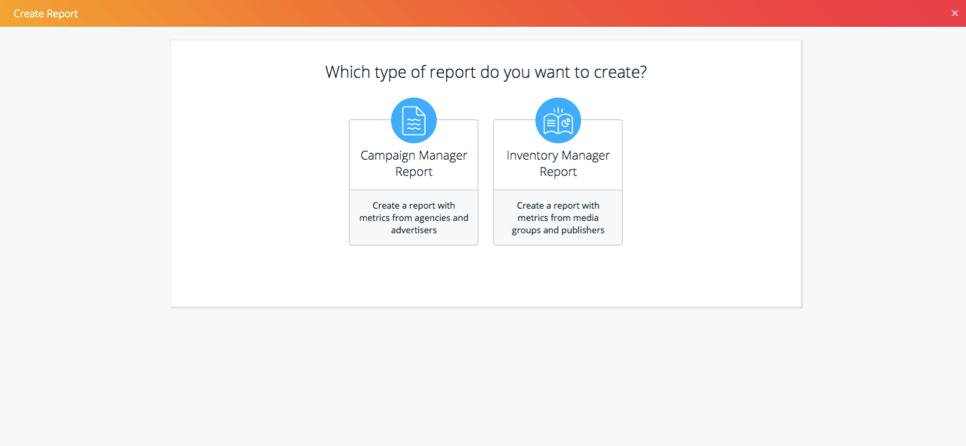
If you are both an advertiser AND a publisher, then your workflow changes slightly. Now, under the reporting tab on the navigation bar, you will have the choice of creating a campaign manager or an inventory manager report. After choosing the type of report you want to create, your workflow to generate a report will be the same as before. Below is an example of what you will see when choosing between a campaign manager or inventory manager report:
 More on the way soon!
Improving the reporting experience is the first of many exciting changes coming to the new Reporting tab in the navigation bar. Be on the lookout for more reporting enhancements, including new metrics, capabilities, and insights.
Also, you asked and we delivered! After much anticipation, we will be rolling out new tools to help advertisers and publishers alike improve their forecasting efforts. Below, you can check out what is coming soon to the reporting tab.
Upcoming features:
– Improved creative reporting
– Advertiser & publisher specific forecasting tools
To stay up-to-date with all of LiveIntent’s product rollouts, check out our product blog.
The post Your Guide on LiveIntent’s New Reporting appeared first on LiveIntent Blog.